
You can create new pages and set properties using the options available in the Design tab. Alternatively, you can modify or update the stylesheets using a script (Script) built using Javascript to create the pages.
Creating a Script
- Log in to the LiveVox Portal.
- On the Configure tab, click Agents > Agent Desktop.
The Agent Desktop window appears. - Click the Designer tab.
- Select the required Designer Desktop from the drop-down list.
- Click the
 (arrow) button.
You are directed to the Designer desktop screen. - Click Scripts > SCRIPTS tab.
- Click the New button.
The New Script window appears.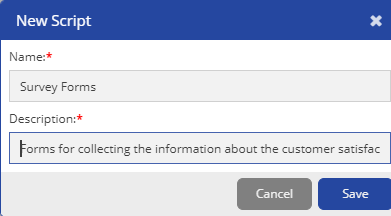
- Specify values in the following fields:
- Name: Specify a name for the script.
- Description: Specify a description for the script.
- Click Save.
The script is created, and the Design subtab appears to enable you to design the script.